Not every comic arrives in crisp, high-resolution scans. Older uploads, compressed mobile-quality images and small source files can look soft or blocky on today's large, sharp screens. PicACG waifu2x upscaling exists to close that gap. It runs each page through a neural network trained specifically on anime-style artwork, enlarging the image while restoring clean line art and reducing compression noise.
This guide explains what waifu2x does, how it is integrated into the PicACG desktop client, what hardware it needs, which settings produce the best results for different kinds of pages and how to keep performance smooth while you read.
What Waifu2x Actually Does
Ordinary image enlargement, the kind any viewer performs when you zoom, simply stretches pixels or blends neighbouring ones. The result is either jagged or blurry. Waifu2x takes a different approach. It is a convolutional neural network trained on large numbers of illustrations, so it has learned what clean anime and manga line art should look like. When it enlarges a page, it predicts the missing detail rather than smearing what already exists.
Two operations happen together:
- Upscaling increases the image's resolution, typically by 2x, so each original pixel becomes four.
- Noise reduction removes JPEG artefacts, the faint blocks and halos that appear around text and lines after heavy compression.
For comics, which are dominated by flat colours, screentones and sharp ink lines, the improvement is often dramatic. Speech bubble text becomes easier to read, outlines regain their crispness and colour gradients lose their blocky banding.
How PicACG Integrates Waifu2x
The picacg-qt desktop client supports waifu2x as an optional component. It relies on a Python binding to waifu2x-ncnn-vulkan, an efficient implementation that runs on the graphics card through the Vulkan API. The binding is maintained by the same developer as the client, which keeps the two well matched.
Integration works at two points in the reading flow:
- While reading: pages can be upscaled on the fly as they are displayed, so you see the enhanced version without extra steps.
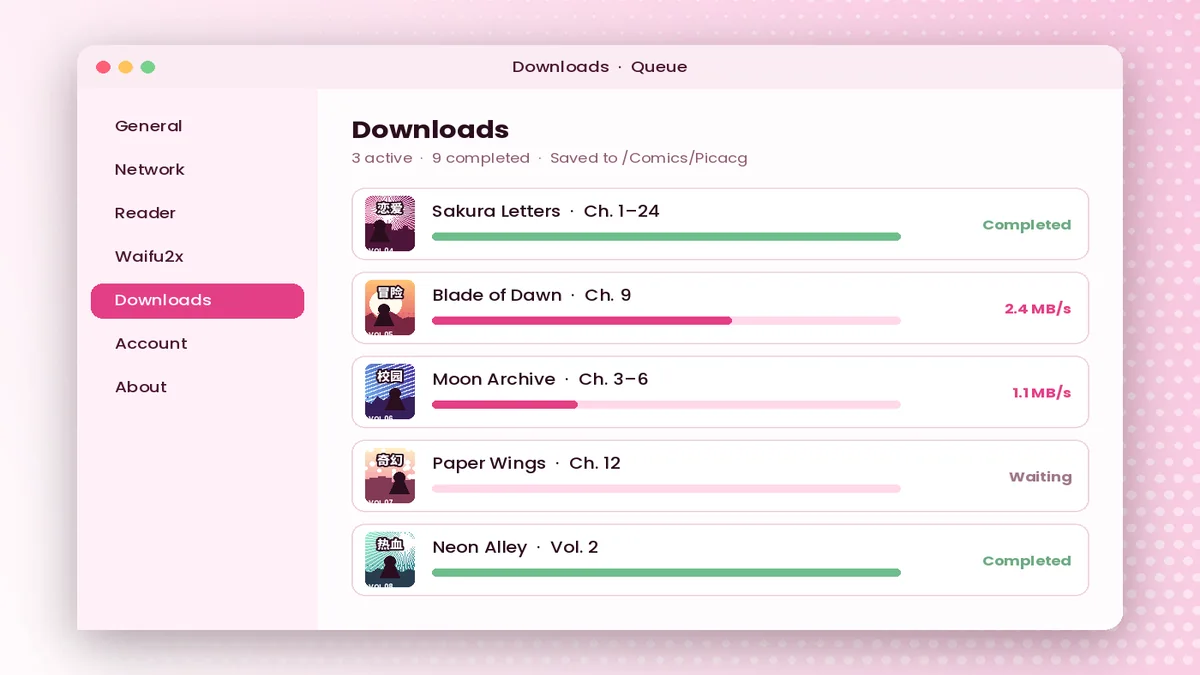
- While downloading: chapters can be processed and stored in their upscaled form, so offline reading needs no further GPU work.
Because it is optional, the client works perfectly well without waifu2x. Installing it simply unlocks the extra settings section.
Hardware Requirements
Waifu2x is computationally heavy. Running it on the GPU makes it practical; running on the CPU is possible but slow.
| Hardware | Experience |
|---|---|
| Modern dedicated GPU (NVIDIA, AMD) | Fast; real-time upscaling while paging |
| Recent integrated graphics (Intel Iris Xe, AMD Radeon iGPU, Apple silicon via MoltenVK) | Usable; slight delay on large pages |
| Older integrated graphics | Slow; better used for background download processing |
| CPU only | Very slow; suitable for small batches |
The key requirement is Vulkan support with an up-to-date driver. Almost every graphics card made in the last eight years supports Vulkan, but outdated drivers frequently hide it. If the client cannot find a waifu2x device, a driver update is the first thing to try.
Video memory matters too. Large pages are processed in tiles, and tile size adapts to available memory. Cards with 4 GB of VRAM or more handle tall webtoon strips comfortably.
Installing the Waifu2x Component
When running picacg-qt from source, the waifu2x binding is installed into the same Python environment as the client. Activate your environment and install the package the project documents for waifu2x support. On Arch-based Linux distributions, the AUR packaging of picacg-qt lists a waifu2x-vulkan package as an optional dependency, which makes installation a single command.
After installation, restart the client and open settings. A waifu2x section should now show your GPU in the device list. If it shows only the CPU, see the troubleshooting section below.
Understanding the Settings
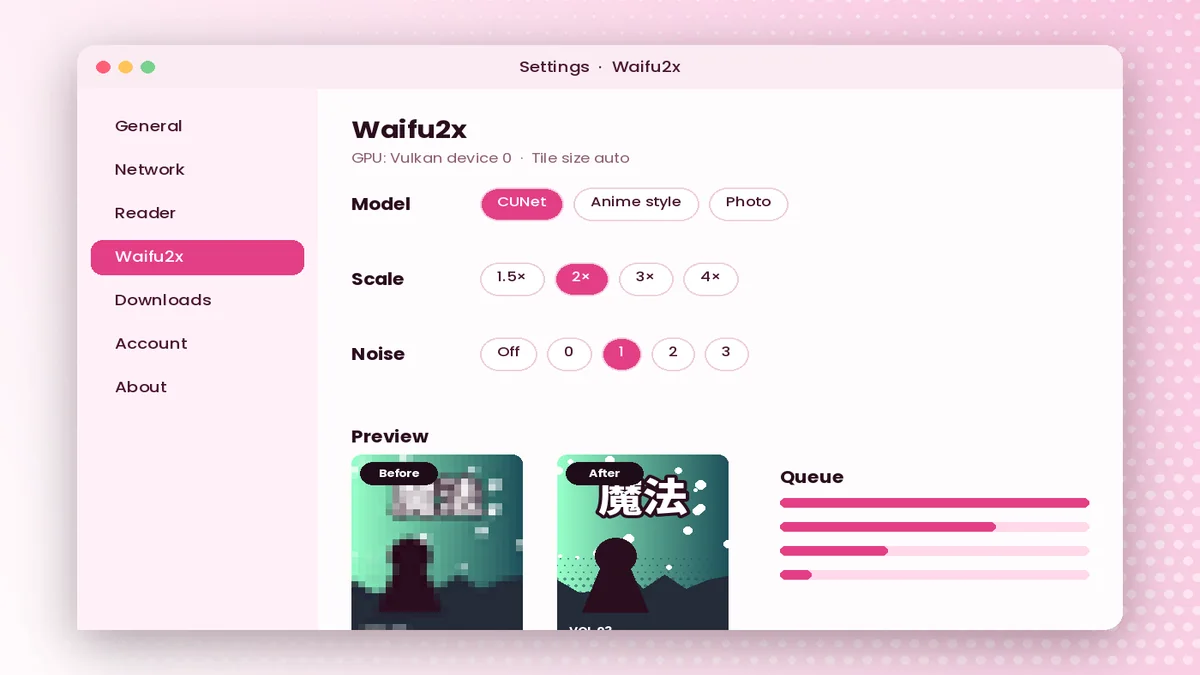
The waifu2x panel exposes a handful of options. Each one has a clear effect once you know what it controls.
Model
Different models are trained on different kinds of images.
- CUNet: the highest quality model for illustrations and comics. It preserves fine line detail and handles screentones well. It is also the slowest.
- Anime style art (RGB): a faster, slightly simpler model for anime artwork. Good for colourful pages on mid-range hardware.
- Photo: trained on photographs. It is not a good fit for comics and should be avoided for manga pages.
For most PicACG reading, CUNet is the right default if your GPU can keep up.
Scale
Scale controls how much larger the output becomes. 2x is the sweet spot for comics: it doubles linear resolution, which is enough for crisp display on 1440p and 4K screens. Higher scales take dramatically longer and rarely add visible quality, because the source rarely contains enough information to justify it.
Noise level
Noise reduction ranges from off to strong.
| Level | When to use |
|---|---|
| Off | Clean, high-quality scans with no visible artefacts |
| 0 or 1 | Typical web images with light compression |
| 2 | Noticeable blockiness or halos around text |
| 3 | Heavily compressed or repeatedly re-saved images |
Too much noise reduction can soften intentional texture such as screentone patterns or pencil shading. Start at level 1, inspect a page with fine tones, and increase only if artefacts remain.
Tile size and GPU selection
Tile size determines how much of the image is processed at once. Automatic selection is safest. Lower it manually only if you see out-of-memory errors on very tall pages. On laptops with two GPUs, choose the dedicated card in the device list.
Recommended Presets
These starting points cover most situations:
| Situation | Model | Scale | Noise |
|---|---|---|---|
| Black-and-white manga on a powerful GPU | CUNet | 2x | 1 |
| Colour webtoon on a mid-range GPU | Anime style | 2x | 1 |
| Old, heavily compressed scans | CUNet | 2x | 2 or 3 |
| Laptop on battery | Off while reading, process downloads later | ||
| Already high-resolution source | Off |
Treat these as a baseline. The best setting is the one that makes pages look right to you on your screen.
Reading-Time Versus Download-Time Upscaling
Both approaches have merits, and many readers combine them.
Reading-time upscaling gives instant improvement with no extra storage. It does, however, require the GPU to work every time you view a page, and very large pages may appear after a brief delay.
Download-time upscaling processes chapters once, in the background, and stores the improved pages. Reading is then instantaneous and needs no GPU at all, which is ideal for laptops. The trade-off is storage: 2x-upscaled pages are typically two to four times larger on disk.
A balanced approach is to enable upscaling for downloads of series you intend to keep, and leave on-the-fly upscaling off on battery power.
Measuring the Difference
The fastest way to judge waifu2x is a side-by-side comparison.
- Open a page with small text in speech bubbles.
- Zoom to 100 percent of your screen's native resolution.
- Toggle waifu2x off and on, or compare the original and processed preview.
Look at three things: the edges of letters, the smoothness of curved ink lines and the cleanliness of flat colour areas. If letters are sharper, curves are smooth and flat areas are free of blocks, your settings are working. If fine textures have turned waxy, reduce noise reduction.
Performance Tips
- Update graphics drivers before anything else. It is the most effective performance change you can make.
- Close other GPU-heavy applications such as games or video editors while reading with live upscaling.
- Use 2x scale rather than higher values.
- Batch process overnight for large download queues.
- Watch thermals on laptops. Sustained processing heats a thin laptop quickly; a cooling pad or lower-power mode helps keep speeds consistent.
Troubleshooting Waifu2x in PicACG
| Problem | Likely cause | Solution |
|---|---|---|
| Waifu2x section missing | Component not installed in the environment | Install the waifu2x package into the same virtual environment |
| Only CPU listed as device | No Vulkan driver or outdated driver | Install the latest GPU driver from the vendor |
| Pages appear slowly | High model complexity on modest GPU | Switch to the anime-style model or process at download time |
| Out-of-memory error | Very tall pages exceeding VRAM | Reduce tile size or close other GPU applications |
| Pages look waxy or smeared | Noise reduction too strong | Lower noise level by one step |
| Wrong GPU in use | Laptop defaulting to integrated graphics | Select the dedicated GPU in the device list |
macOS notes
Vulkan is not native to macOS, but translation layers allow Vulkan programs to run on Apple's Metal API. Results vary by version and hardware. If the GPU is not detected, process downloads on CPU in the background or perform upscaling on another machine.
Linux notes
Make sure the Vulkan loader and your GPU's Vulkan driver are installed. Distribution packages are typically named after the vendor, such as Mesa Vulkan drivers for AMD and Intel, or the proprietary driver's Vulkan package for NVIDIA. Running vulkaninfo confirms whether Vulkan is working before you troubleshoot the client.
When Not to Use Waifu2x
Upscaling is not always beneficial.
- High-resolution sources gain little and cost processing time.
- Photographic content such as cosplay pages or real-world images suits the photo model or no processing at all.
- Very low battery situations favour plain viewing.
- Small screens at normal viewing distance may not show much difference, so phones benefit less than large monitors.
Waifu2x on Different Kinds of Comic Pages
Not all pages respond the same way to upscaling. Knowing what to expect helps you choose settings with confidence.
Black-and-white manga with screentones
Screentones are patterns of tiny dots used to create grey shading. At low resolution they turn into a muddy grey, and heavy noise reduction can smooth them into flat grey areas. Use CUNet with noise level 0 or 1 to keep tone patterns intact while sharpening ink lines.
Full-colour webtoons
Colour strips usually come from digital originals, so they contain smooth gradients rather than dot patterns. The anime-style model handles them quickly, and noise level 1 clears compression blocks in gradients without losing the soft shading artists use for lighting.
Scanned older works
Older scans often show paper texture, slight blur and heavy JPEG artefacts. These benefit most from upscaling. Noise level 2 or 3 removes artefacts, and the result is frequently clearer than the original printed scan appeared online.
Text-heavy pages
Pages filled with dialogue gain the most visible readability improvement. Sharper letterforms reduce eye strain, especially on high-DPI laptop screens where unprocessed text can look fuzzy.
Storage Planning for Upscaled Libraries
Because upscaled pages are larger, plan disk space before processing an entire library.
| Library size (original) | Approximate size after 2x upscale |
|---|---|
| 5 GB | 10 to 20 GB |
| 20 GB | 40 to 80 GB |
| 100 GB | 200 to 400 GB |
A practical compromise is to upscale only the series you reread often, and keep everything else at original size. Store upscaled series on a large secondary drive and keep your active reading folder on a fast SSD.
Waifu2x Versus Other Upscalers
Waifu2x is not the only image enhancer, but it remains a strong fit for comics. General-purpose upscalers trained on photographs tend to invent textures that do not belong in line art. Newer anime-focused models can produce stronger sharpening, sometimes at the cost of an over-processed, painted look. Waifu2x sits in a balanced position: it preserves the artist's original style while cleaning up compression damage, and its Vulkan implementation is efficient enough for real-time reading. That combination is exactly why it was chosen for the PicACG desktop client.
A Quick Setup Checklist
- Graphics driver updated within the last few months.
- Waifu2x component installed in the same environment as the client.
- Dedicated GPU selected on dual-graphics laptops.
- CUNet model, 2x scale, noise level 1 as the starting point.
- Download-time processing enabled only for series you keep.
Summary
Waifu2x turns soft, compressed comic pages into crisp, clean images by predicting the detail that simple enlargement cannot. In PicACG's desktop client it is an optional, GPU-accelerated component that can upscale pages while you read or as chapters download. Start with the CUNet model, 2x scale and light noise reduction, keep your graphics drivers current, and adjust from there. On a good screen, the improvement is the kind you notice immediately and never want to give up.
Frequently Asked Questions
Is waifu2x required to use PicACG?
No. It is optional. The client works fully without it; waifu2x only adds image enhancement.
Does waifu2x change the original files?
On-the-fly upscaling changes only what is displayed. Download-time upscaling stores processed pages in your download folder instead of the originals, depending on your settings.
Which model is best for manga?
CUNet generally produces the best result for black-and-white manga and detailed illustrations, at the cost of speed.
Can my integrated graphics run it?
Recent integrated GPUs with Vulkan support can, though more slowly. Background processing during downloads is a good fit for them.
Why do upscaled downloads use more space?
A 2x upscale contains four times as many pixels. Even with efficient compression, files are typically several times larger than the originals.